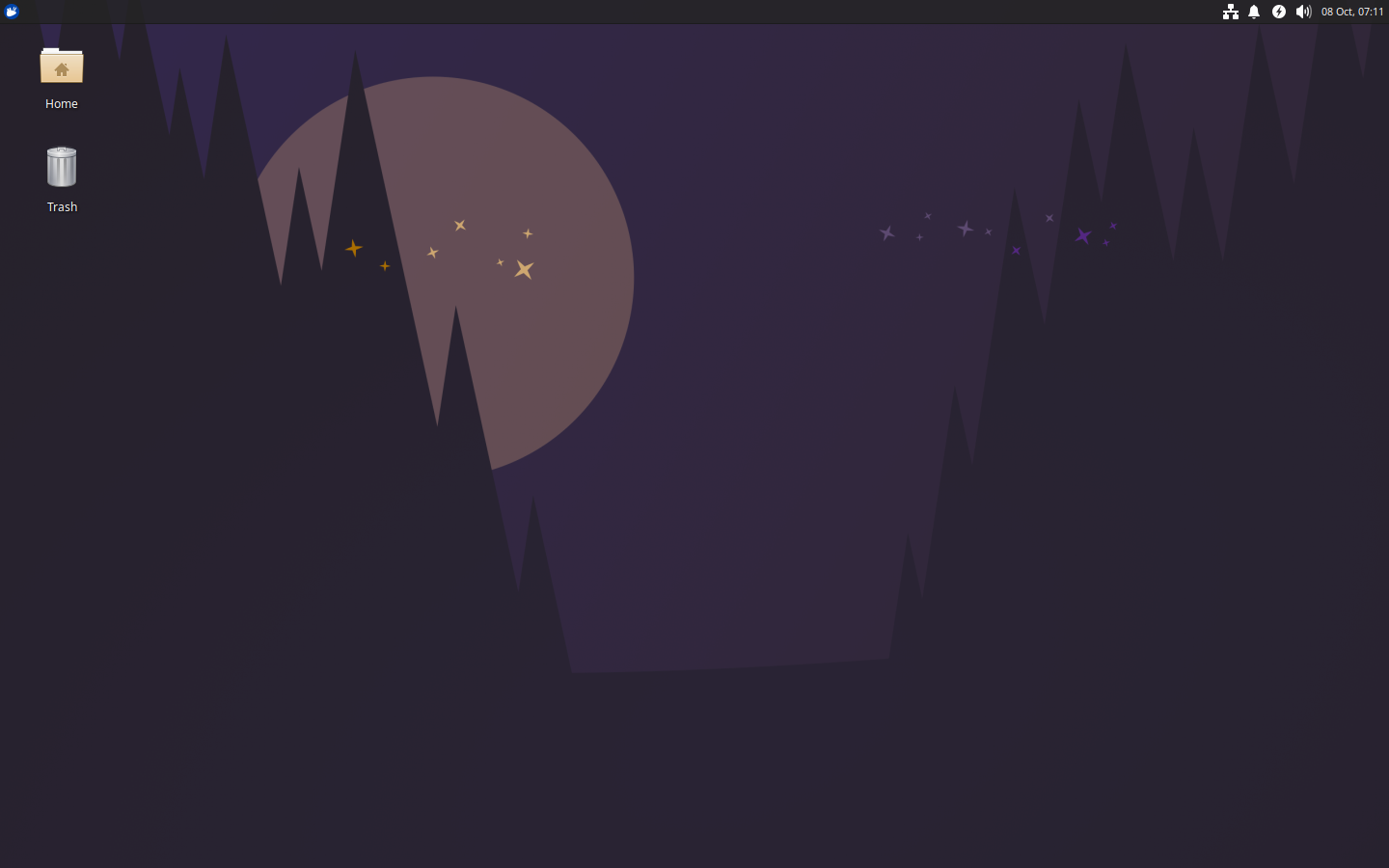
The Xubuntu team is happy to announce the results of the 26.04 community wallpaper contest!
We’d like to send out a huge thanks to every contestant. The Xubuntu Community Wallpaper Contest gives us a unique chance to interact with the community and get contributions from members who may otherwise not have had the opportunity to join in before.
We received around 40 unique submissions, and 42 voters make 199 selections. The competition was fierce! There was a 5-way tie between 5th and 6th place, with the Xubuntu team making the final tie-breaking vote. All of the submissions are browsable on the 26.04 contest page at discourse.ubuntu.com.
Without further ado, here are the winners:
From left to right, top to bottom. Click on the links for full-size image versions.
From February 18, 2026 through March 21, 2026, the Xubuntu community submitted 37 unique images to be considered for inclusion in the new long-term support (LTS) release of Xubuntu. We’re finally ready to open up the community vote. From now through April 7, 2026, vote on your favorite images using the below Discourse link. Six winners will be announced and will receive Xubuntu stickers and commemorative coins by mail.
Xubuntu first joined the Ubuntu family as an official flavor in June 2006. Fast-forward 20 years, and Xubuntu is a fan favorite—fast, lightweight, easy-to-use, and easy-to-recommend. To celebrate both our history and our community, we are hosting two wallpaper contests for Xubuntu 26.04!
As in years past, Xubuntu will celebrate the community with a community wallpaper contest. Six wallpapers will be selected for inclusion on the 26.04 ISO. Winners will receive Xubuntu stickers as a small thank you. See below for contest terms and conditions.
Additionally, we ask the community to vote on past Xubuntu wallpapers to be reimagined for 26.04. We will select two winners: one from each decade, with the team deciding on the default wallpaper. Visit our Discourse page to vote by March 4th.
How to participate?
For a chance to win, submit your submission on the Discourse contest page.
Important dates
Start of submissions: Immediately
Submission deadline: March 4th, 2026
Voting begins: March 5th, 2026
Announcement of selections: March 11th, 2026
All dates are in UTC.
Contest terms
All submissions must adhere to the Terms and Guidelines, including specifics about subject matter, image resolution and attribution.
After the submission deadline, the community team will vote on their favorite images and the Xubuntu team will pick 6 winners from all submissions for inclusion on the Xubuntu 26.04 ISO, and will also be available to other Xubuntu version users as a xubuntu-community-wallpaper package. The winners will also receive some Xubuntu stickers.
Any questions?
Please join #xubuntu-devel on Libera for assistance or email the Xubuntu developer mailing list if you have any problems with your submission.
As you may have heard, for a short period of time back in October, our download site was serving a malicious zip file instead of the torrents users expected to download.
This was caused by a malicious actor gaining access by brute forcing a vulnerable component of the WordPress installation that Canonical maintains for the team. Once they had access, they were able to inject the code that changed the download links.
Timeline of Events
The compromise was first reported on October 15, and Canonical’s infrastructure and security teams were alerted shortly afterward. The site was immediately locked down and the downloads page disabled, and an investigation began.
Between October 15 and October 19, the Canonical team worked to:
Identify the method used to obtain unauthorized access,
Remove all malicious code and injected files,
Roll back the affected pages to a verified clean state, and
Harden the WordPress instance to safeguard against further intrusion.
By October 19, community members confirmed that the malicious zip file had been removed and that the site was considered clean.
On November 11, Canonical provided the Xubuntu team with an incident summary confirming that the exploit path had been addressed, the system had been hardened, and that download access had been restored in a controlled, read-only mode to allow migration to a new static site.
Conclusion
To be perfectly clear: this only impacted our website, and the torrent links provided there.
If you downloaded or opened a file named “Xubuntu-Safe-Download.zip” from the Xubuntu downloads page during this period, you should assume it was malicious. We strongly recommend scanning your computer with a trusted antivirus or anti-malware solution and deleting the file immediately.
Nothing on cdimages.ubuntu.com or any of the other official Ubuntu repositories was impacted, and our mirrors remained safe as long as they were also mirroring from official resources.
None of the build systems, packages, or other components of Xubuntu itself were impacted.
Your currently installed version of Xubuntu was never at risk.
Still, this is obviously a serious breach of trust, and all of us on the Xubuntu team are incredibly sorry for the impact it caused. We took this all very seriously and have taken a close look at how we manage our online presence and what steps we can take as a team to prevent this sort of thing in the future.
Steps Forward
The biggest announcement is that we’ve decided to switch to Hugo, a static site generator which will completely eliminate the type of attack vector taken advantage of. This migration to a static site generator has actually been in the works for some time as our reliance upon the dynamic features of WordPress naturally reduced, but this situation compelled the team to get it completed. We will launch soon! The new static site has been launched and you are currently using it!
We’d also like to thank the Xubuntu community for how many of you responded to this situation. It was quickly reported in multiple places (Reddit, Matrix, IRC…) and multiple tickets ended up being raised with Canonical. From there, you helped each other: the ubuntu.com image locations were shared, advice was given on using checksums to verify downloads, and we saw an outpouring of support and reassurance from many people who were doing what they could to keep us all safe from malicious downloads. Thank you! This is the community we all love being a part of, and it helps the Xubuntu development team stay engaged and continue to bring Xubuntu to you, release after release.
It was also noted that Xubuntu itself cannot accept donations, but our developers can benefit from donations made via the Xfce project. Several of you did during this time, and we’re grateful for that.
As we launch our new website and close in on our next Long-Term Support (LTS) release in a few months, we’re excited to see our project continue to move forward with your support. And if you’re looking for a way to contribute, please bring your energy and skills to our contribute page to learn more about opportunities to join the team, we always need more contributors:
https://xubuntu.org/contribute/
Signed, Elizabeth K. Joseph, Pasi Lallinaho, and Sean Davis
The Xubuntu team is happy to announce the immediate release of Xubuntu 25.10.
Xubuntu 25.10, codenamed Questing Quokka, is a regular release and will be supported for 9 months, until July 2026.
Xubuntu 25.10, featuring the latest updates from Xfce 4.20 and GNOME 49.
Xubuntu 25.10 features the latest Xfce 4.20 and GNOME 49 updates. Xfce 4.20 updates feature stability improvements and enhanced Wayland support, for those adventurous enough to use it. GNOME 49 apps have received further polish and are well-suited for Xubuntu. MATE 1.26 apps are still included to round out Xubuntu’s office suite.
The final release images for Xubuntu Desktop and Xubuntu Minimal are available as torrents and direct downloads from [xubuntu.org/download/].
As the main server might be busy the first few days after the release, we recommend using the torrents if possible.
We want to thank everybody who contributed to this release of Xubuntu!
Highlights and Known Issues
Highlights
Xfce 4.20 components have received several stability improvements. Minor integration issues persist in Xubuntu 25.10 and will be addressed for 26.04, scheduled for release in April.
GNOME 49 apps are further refined with new features and usability improvements.
Known Issues
Some missing icons mean that libadwaita apps (modern GNOME style) have graphical glitches. Notably, the window close icons are blank (LP: #2125025), and Document Scanner is missing an icon for the scanner options (LP: #2127071).
The graphical SSH agent is unavailable due to a change in the GNOME Keyring Daemon (LP: #2125549).
Flatpak packages will refuse to install due to a conflict between AppArmor and libfuse (LP: #2122161). A fix is in progress.
Please refer to the Xubuntu Release Notes for more obscure known issues, information on affecting bugs, bug fixes, and a list of new package versions.
The main Ubuntu Release Notes cover many other packages we carry and more generic issues.
Support
For support with the release, navigate to Help & Support for a complete list of methods to get help.